Doorsanchar Nepalese Telecom News, Smart Phones, Tablets, Mobiles, Gadgets, ICT & Telecom issues, Nepal Telecom, Ncell, Teleosonera, STM Telecom Sanchar, Nepal Satellite Telecom, Hello Mobile, Internet in Nepal, Business on Telecom Sector in Nepal, Views, Blogs, ICT News, Views, Reviews from Nepal, Mobile Prices in Nepal, Buy a Mobile in Nepal, Comparative mobile prices, Smart Phone in Nepal, Buy a smart phone in Nepal, Nepal Cheapest Mobiles, Nepal Doorsanchar Company Limited, Nepal Telecom News, smart, NTC, Namaste, GPRS, ADSL, internet, DSL, IP, Gramin Telecom, Rural Telecom, iPhone, Apple in Nepal, Sewa Telecom, Reynolds Holdings, SMS, MMS, Free Phone, CDMA, internet in Nepal, Nepal Phone, Free Phone Nepal, Website hack, WWW, http://, Telecom Issues, Telecom Magazines, Huwai, ZTE, Samsung, Motorolla, Panasonic, Smart TV, configure ADSL, Subscribe internet, Cable, DSL, Internet Speed Test, Test My Net Speed, Online Cinema, Free Calling Card, Nepal Tech, Tech Nepal, Tech 2 Nepal, Travelling Nepal, News Nepal, Nepal News, ekantipur, onlinekhabar, nagariknews, mysansar, Camera, Tablet, LTE, Ultrabook, E Cards, FTP, Google, Cloud, Cloud computing, cloud service, Mac, Free software, software freedom, downloads, download free software, Nepal software, play, google play, android apps, applications, IOS, Apple, Facebook, google.com, facebook.com, social networking, domain, free domain, Nepal Website, Website making, website design, free calling cards, chat, Nepal Chat, Nepalese websites, Traveller sites in Nepal, Wallpapers, Nepalese wallpapers, New Walpapers, The Pirates bay, download software, Free website making, eticketing, eservice, egovernance in Nepal, egov, Nepal electronics good, Mobile Expo in Nepal, Mobile Market, Nepal Mobile Price, Nepal Tech News, Nepal Telecom News, Nepal Doorsanchar News, All telecom News, Tech News, Living with ICT and Telecom, Lifestyle, Ebooks, ereadings, elibrary, free books online, free software online, online media

Blogging is getting popular day by day. It is a great way to earn money sharing your thoughts. People choose it either as a pastime or career. It is getting even more popular as social media has been the best medium to drive traffic. It has indeed become a huge part of the online world. And the online world doesn’t only carry opportunities but also huge risks. It is important to learn how to avoid those risks beforehand. To ensure your safety on blogging here are some few easy and essential cyber security tips:
Avoid free wi-fi networks
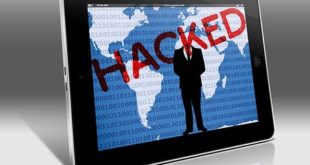
Free wi-fi comes at a price regarding the security of your blog. By connecting to the public network, you put your information at risk. Hackers can easily access to your blog over such public and unprotected wi-fi connections. Without any difficulty, hackers can easily view your online activity through the unprotected network.
Don’t save password in your browser
If you want to keep your blog protected don’t store login information in your browser. You might do so for easy login, but doing so you are putting your blog at risk. Instead, store it in secure password storage location. And create a strong password for your blog. Basically, passwords with numbers, symbols, uppercase and lowercase letters are considered strong.
Use private Network
VPNs (virtual private network) can help secure your browsing sessions by  encrypting the traffic between your device and the server. Using VPNs networks your location and IP details are inaccessible because of encryption. And encryption can rarely be solved. When you’re working on your blog, be sure to use a VPN to keep your site safe. Only visit HTTPS sites to make sure that the sites you are visiting are safe.
Keep the software updated to latest version
Update immediately if the WordPress version you are using is outdated. New versions are effective in terms of use and aren’t vulnerable to attacks. Your blog should have effective security software for the protection. You can get the notifications about WordPress security updates, make sure update notifications is on.