Doorsanchar Nepalese Telecom News, Smart Phones, Tablets, Mobiles, Gadgets, ICT & Telecom issues, Nepal Telecom, Ncell, Teleosonera, STM Telecom Sanchar, Nepal Satellite Telecom, Hello Mobile, Internet in Nepal, Business on Telecom Sector in Nepal, Views, Blogs, ICT News, Views, Reviews from Nepal, Mobile Prices in Nepal, Buy a Mobile in Nepal, Comparative mobile prices, Smart Phone in Nepal, Buy a smart phone in Nepal, Nepal Cheapest Mobiles, Nepal Doorsanchar Company Limited, Nepal Telecom News, smart, NTC, Namaste, GPRS, ADSL, internet, DSL, IP, Gramin Telecom, Rural Telecom, iPhone, Apple in Nepal, Sewa Telecom, Reynolds Holdings, SMS, MMS, Free Phone, CDMA, internet in Nepal, Nepal Phone, Free Phone Nepal, Website hack, WWW, http://, Telecom Issues, Telecom Magazines, Huwai, ZTE, Samsung, Motorolla, Panasonic, Smart TV, configure ADSL, Subscribe internet, Cable, DSL, Internet Speed Test, Test My Net Speed, Online Cinema, Free Calling Card, Nepal Tech, Tech Nepal, Tech 2 Nepal, Travelling Nepal, News Nepal, Nepal News, ekantipur, onlinekhabar, nagariknews, mysansar, Camera, Tablet, LTE, Ultrabook, E Cards, FTP, Google, Cloud, Cloud computing, cloud service, Mac, Free software, software freedom, downloads, download free software, Nepal software, play, google play, android apps, applications, IOS, Apple, Facebook, google.com, facebook.com, social networking, domain, free domain, Nepal Website, Website making, website design, free calling cards, chat, Nepal Chat, Nepalese websites, Traveller sites in Nepal, Wallpapers, Nepalese wallpapers, New Walpapers, The Pirates bay, download software, Free website making, eticketing, eservice, egovernance in Nepal, egov, Nepal electronics good, Mobile Expo in Nepal, Mobile Market, Nepal Mobile Price, Nepal Tech News, Nepal Telecom News, Nepal Doorsanchar News, All telecom News, Tech News, Living with ICT and Telecom, Lifestyle, Ebooks, ereadings, elibrary, free books online, free software online, online media

There are several tips to secure a computer. You must have tried every advanced measure to keep your personal data safe but might have ignored basic things which are of utmost importance. So in this article, we remind of those simple tips that will help you boost the security system of your device.
-
Protect network with VPN connection
To stop people from snooping on your computer data use VPN network. VPN protects your online browsing from snooping activities if you are on public wi-fi, helps you to access restricted websites and much more. Everything you do on your computer network will be protected with VPN connection. It will keep your online activity secure and encrypted. There are many VPN providers, do enough research before you choose one.
-
Create strong password
Create strong passwords mixing letters, numbers symbols and change it every few months. Do not insert words that are very obvious and don’t make the mistake of sharing your password with anyone. Make different passwords for your desktop, laptop and handsets.
-
Keep your antivirus and malware software updated
Make sure use the latest version of antivirus and malware software on your computer. With updated software, you will get extra security against security threats, spam emails and viruses. Many antivirus programs have free plans. While using those free plans confirm about its features before use.
4.Turn off auto play
If you have turned on autoplay on your device, there is a chance of security breach. You shouldn’t allow auto play on your computer system.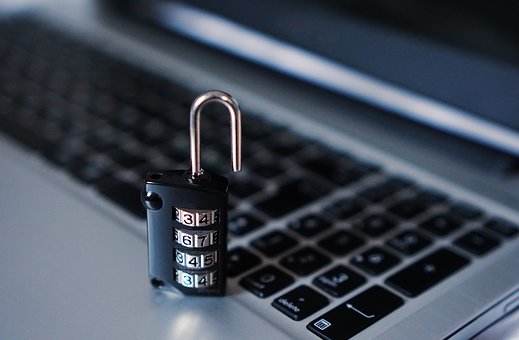
-
Use Windows Firewall
The other protection you can have on your computer is firewall. It stops any kind of unauthorised access to your computer. Go to Control panel and select Windows Firewall under the headings ‘system and security’. Likewise, keep your windows programs up-to-date. if you miss updates you might miss the latest security developments. So better turn on automatic windows updates. Also, do not forget to update your web browsers.
-
Don’t log in from administrator account
Everyday use of administrator account while working on a computer is not secure. Because security threats might take control of your entire computer system. After setting up your system as the administrator for the first time, do not run the system again from the administrator account. Set up a different account as a user.
-
Have a backup system for your important data
Having a copy of your important files on a hard drive is a wise thing to do. Who knows you might have to deal with an emergency situation at any time. Store your sensitive information on a hard drive and keep it in a safe place.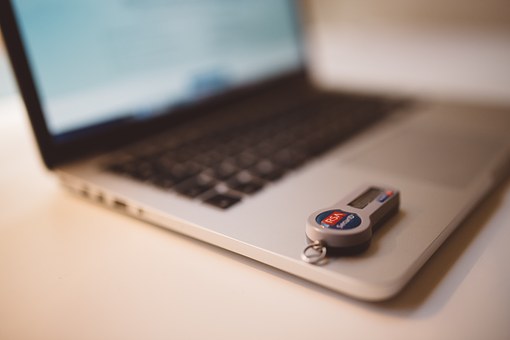
8.Use reliable apps only
Use apps that are secure and easy to get updates. For instance, Javascript is deemed insecure in terms of security. Cultivate a habit of removing older versions of apps as soon as new one is installed.